Personalize AI withTumiki
for your team
With Tumiki, AI records in Notion, notifies via Slack, and adjusts calendars.
It feels like having an "AI employee" on your team.
What is Tumiki?
The Foundation for Welcoming "AI Employees" to Your Team
Easily integrate with business tools like Google Calendar, Notion, and Slack, and based onMCP (Model Context Protocol), you can set roles and behavioral rules for AI. No-code solution to personalize "AI employees" for your business and deploy them to your team.
Tumikiが連携可能なサービスの一部をご紹介


Slack

Notion

Gmail

Google Drive

Google Analytics
Microsoft Teams
Excel

Word
OneDrive
Asana

GitHub
Are You Using AI Agents in Real Work?
Practical challenges many companies face with AI adoption
AI Utilization Limits
- Generic with lack of specialization
- Accuracy drops on complex tasks
- Difficult to use continuously at work
- Tool integration & security barriers
Tool Integration & Security Barriers
- Difficult to connect safely to GitHub, AWS, Slack
- Complex authentication & permission management
- Non-compliant with internal security requirements
- Lack of execution logs & audit trails
- Technical hurdles of building MCP servers individually
Team Utilization & Operational Challenges
- No collaboration between AI agents
- Cannot divide work & separate roles
- No progress & quality management system
- Lack of organizational AI adoption strategy
Common Failure Pattern
A vicious cycle starting from individual adoption
Individual Tool Adoption
ChatGPT, Claude, Copilot, etc.
adopted separately
Difficult to Measure Effectiveness
No integration, no specialization
Cannot measure ROI
Budget Waste
Not used continuously
Extremely low return on investment
💡 How to Break This Vicious Cycle?
An integrated AI team environment is needed
Build an AI Agent Team Environment
with Tumiki MCP Manager
Give AI specialization and collaboration capabilities through unified MCP server management
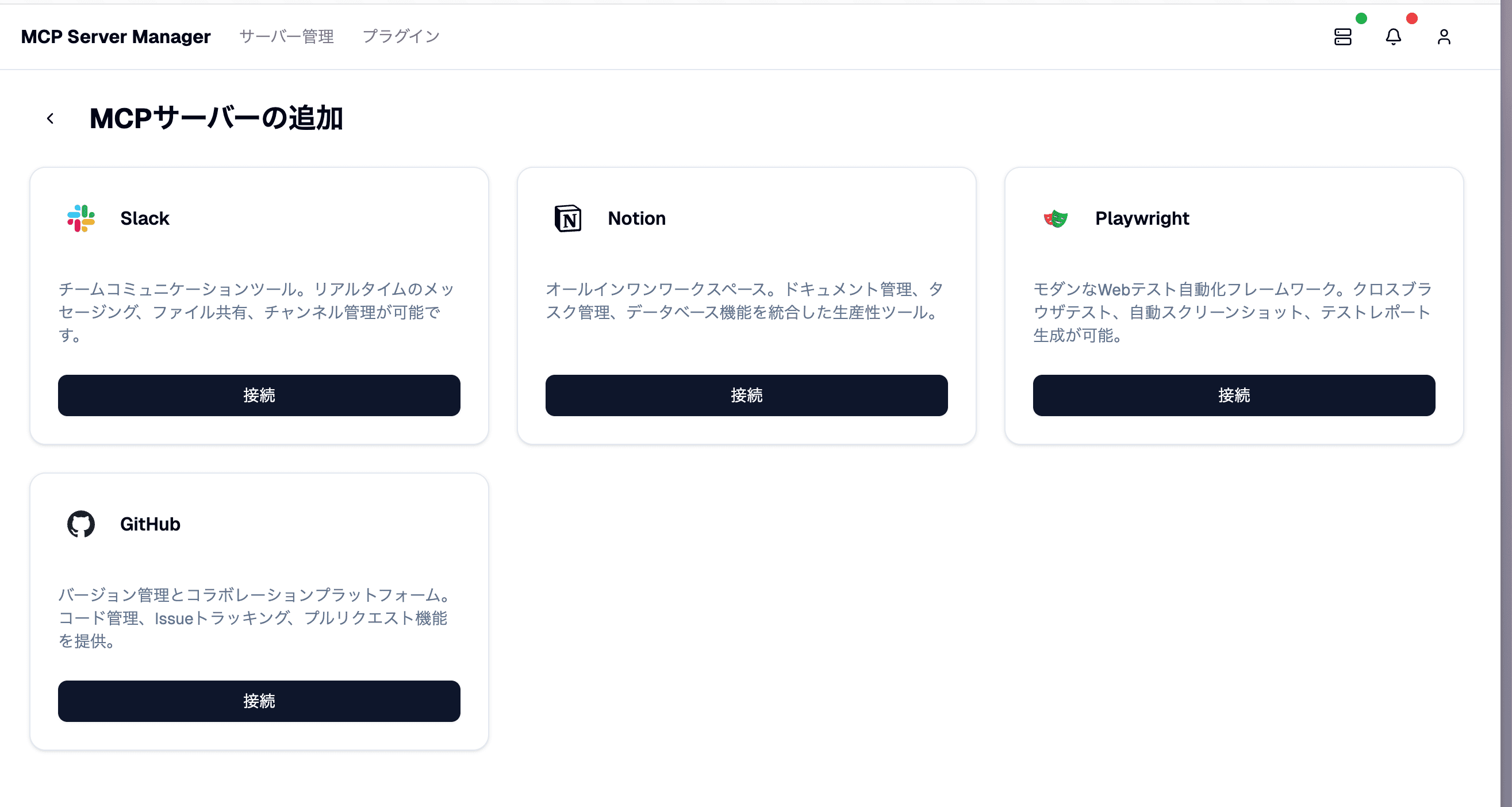
MCP Management Dashboard
Unified Management of Specialized MCP Servers
Centrally manage multiple MCP servers and give AI agents specialization
- Centrally manage MCP servers for GitHub, Jira, Slack, AWS, etc.
- Launch MCP servers in the cloud with one click
- Each AI agent securely accesses specialized tools
- No need for Python/Node.js environment setup & maintenance
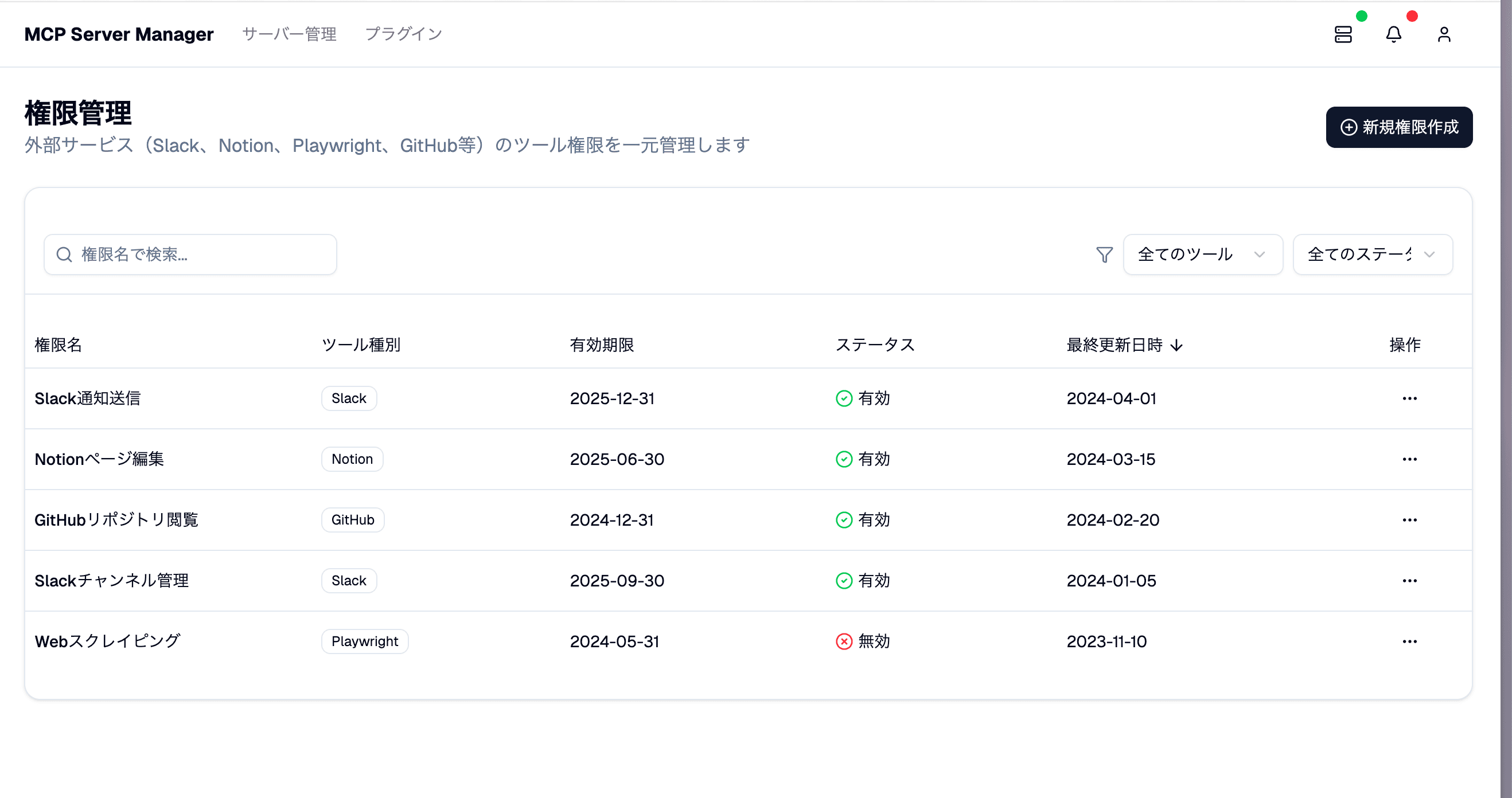
Role Configuration & Permission Management Screen
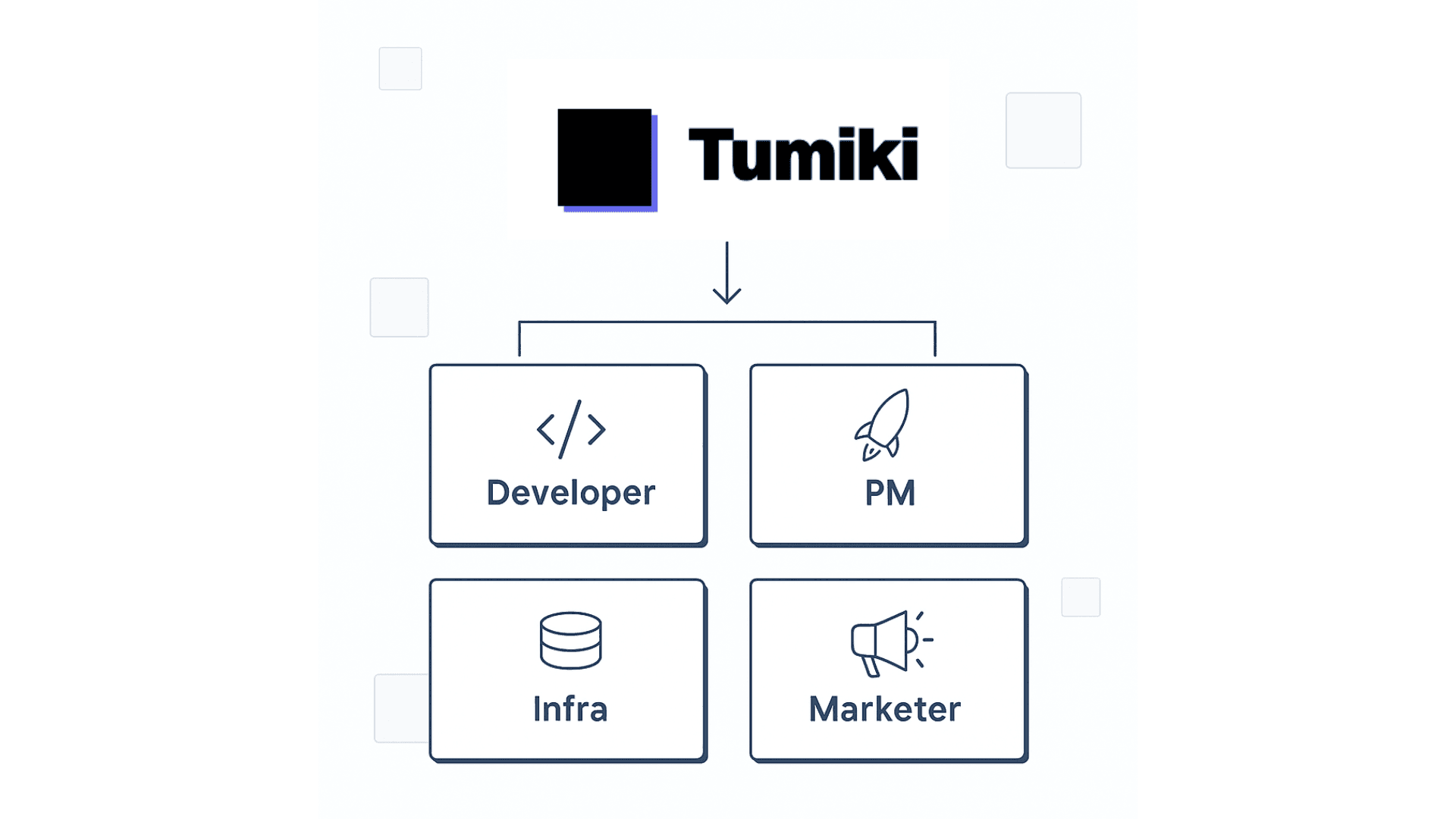
Role Separation & Specialization of AI Agents
Set clear roles and permissions for each AI agent
- PM Agent: Connected to project management MCP
- FE Agent: Figma, React, Storybook MCP
- BE Agent: GitHub, Database, API MCP
- Infra Agent: AWS, Terraform, Monitoring MCP
- Fine control of connection destinations & permissions for each agent
Security & Monitoring Screen
Providing a Secure Team Environment
Manage your AI team with enterprise-grade security
- Enterprise-grade security management
- Secure data sharing between AI agents
- Record & audit all access and execution logs
- Real-time monitoring & emergency stop function
- Automatic application of internal security policies
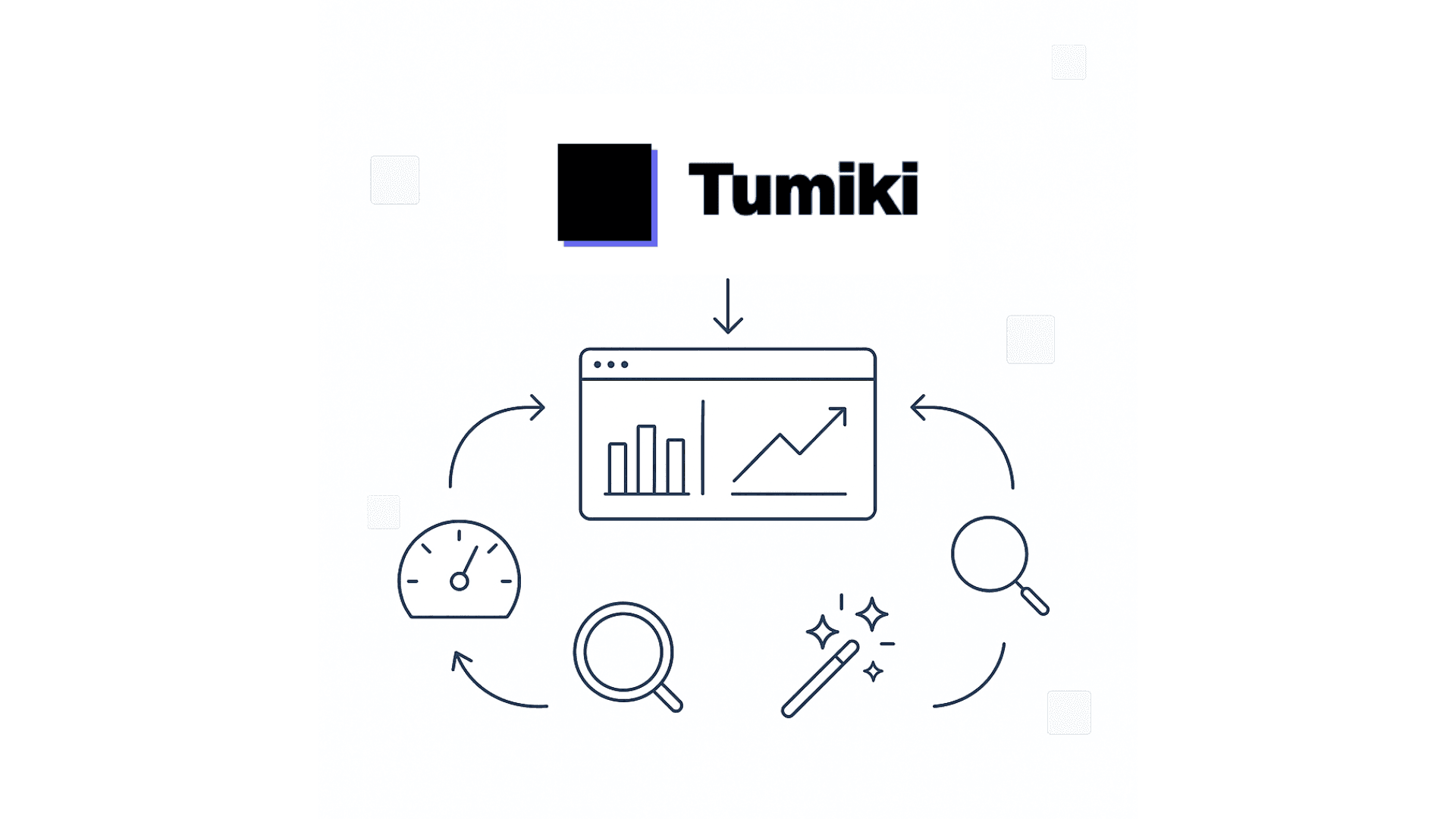
Analysis & Optimization Dashboard
Optimization Support for Team Utilization
Continuously improve AI team performance
- Visualize AI agent activity status
- Measure role division & collaboration effectiveness
- Identify bottlenecks & improvement points
- Propose & automatically adjust optimal MCP configuration
- Continuous support for team productivity improvement
AI Team Environment Realized by Tumiki
Specialization
Each AI specializes in specific roles
Collaboration
Automatic integration between tools
Security
Enterprise-level security
Real AI Agent Team Implementation Examples
Concrete AI team composition patterns covering all development domains
Web & Mobile Development
AI, ML & Data
Infrastructure & DevOps
Security & Audit
Enterprise
Game & API
Web Development Team
Development team with frontend, backend, and operations working together
Tumiki MCP Manager Setup
- GitHub MCP(Code management)
- Figma MCP(Design collaboration)
- Vercel MCP(Deployment & operations)
- Notion MCP(Documentation management)
- Slack MCP(Communication)
AI Agent Specialization
- PM Agent→ GitHub + Notion + Slack access
- Design Agent→ Figma + Notion access
- Frontend Agent→ GitHub + Vercel + Slack access
- Backend Agent→ GitHub + DB access
- Operations Agent→ Vercel + Monitoring Tools access
Realized Collaboration
- PM breaks down tasks → Auto-distributes to each agent
- Design changes → Frontend agent auto-reflects updates
- Backend API updates → Frontend auto-integrates
- All processes auto-report & share progress via Slack
Collaboration Flow Example:
Mobile App Development Team
iOS, Android, and cross-platform development
Tumiki MCP Manager Setup
- GitHub MCP(Source code management)
- App Store Connect MCP(iOS distribution)
- Google Play Console MCP(Android distribution)
- Firebase MCP(Backend & analytics)
- TestFlight MCP(Beta testing)
AI Agent Specialization
- iOS Agent→ Swift/SwiftUI + App Store Connect access
- Android Agent→ Kotlin/Jetpack Compose + Google Play access
- Cross-platform Agent→ React Native/Flutter + Both OS support access
- Backend Agent→ Firebase + Push notifications access
- QA & Release Agent→ TestFlight + Review handling access
Realized Collaboration
- Parallel platform development → Unified backend integration
- Auto-build → TestFlight/internal test distribution
- Store review → Auto-response & rejection fixes
- App analytics → Firebase Analytics auto-reports
Collaboration Flow Example:
AI/ML Development Team
Machine learning model development & operations
Tumiki MCP Manager Setup
- GitHub MCP(Model & code management)
- MLflow MCP(Experiment & model management)
- AWS SageMaker MCP(Model training & deployment)
- Apache Airflow MCP(Data pipeline)
- Jupyter MCP(Experiment & analysis environment)
AI Agent Specialization
- Data Engineer Agent→ Airflow + Data pipeline construction access
- Machine Learning Engineer Agent→ MLflow + SageMaker + Model development access
- MLOps Agent→ SageMaker + Production deployment & monitoring access
- Feature Engineer Agent→ Jupyter + Feature design & validation access
- Monitoring Agent→ CloudWatch + Model performance monitoring access
Realized Collaboration
- Data pipeline → Auto-preprocessing & feature generation
- Experiment management → Hyperparameter optimization
- Model productionization → A/B testing & gradual deployment
- Continuous monitoring → Performance degradation detection & retraining
Collaboration Flow Example:
SaaS & B2B Product Development Team
Enterprise SaaS development
Tumiki MCP Manager Setup
- GitHub MCP(Source code management)
- Stripe MCP(Payment & subscription)
- Auth0 MCP(Authentication & SSO)
- Mixpanel MCP(User analytics)
- Intercom MCP(Customer support)
AI Agent Specialization
- Frontend Agent→ React/Vue + Dashboard development access
- Backend Agent→ API + Multi-tenant design access
- Auth & Security Agent→ Auth0 + SSO + Permission management access
- Payment & Billing Agent→ Stripe + Subscription access
- Analytics & CS Agent→ Mixpanel + Intercom access
Realized Collaboration
- Multi-tenant foundation → Secure customer isolation
- SSO integration → Enterprise authentication support
- Subscription → Auto-billing & upgrades
- User analytics → Churn prediction & improvement suggestions
Collaboration Flow Example:
DevOps & CI/CD Specialized Team
Infrastructure automation & continuous delivery
Tumiki MCP Manager Setup
- GitHub Actions MCP(CI/CD pipeline)
- Docker Hub MCP(Container registry)
- Kubernetes MCP(Orchestration)
- Terraform MCP(Infrastructure as Code)
- Prometheus MCP(Monitoring & metrics)
AI Agent Specialization
- CI/CD Agent→ GitHub Actions + Pipeline management access
- Infrastructure Agent→ Terraform + K8s + Infrastructure construction access
- Container Agent→ Docker + Container optimization access
- Monitoring Agent→ Prometheus + Grafana + Alerts access
- Security Agent→ Container scanning + Vulnerability response access
Realized Collaboration
- Infrastructure as Code → Auto-infrastructure construction
- CI/CD pipeline → Auto-testing & deployment
- Container optimization → Lightweight & secure images
- 24/7 monitoring → Auto-alerts & self-healing
Collaboration Flow Example:
Security-Focused Development Team
Secure coding & vulnerability countermeasures
Tumiki MCP Manager Setup
- GitHub MCP(Secure code management)
- SonarQube MCP(Code quality & vulnerability analysis)
- OWASP ZAP MCP(Security testing)
- Snyk MCP(Dependency vulnerability check)
- HashiCorp Vault MCP(Secret management)
AI Agent Specialization
- Secure Coding Agent→ GitHub + SonarQube access
- Vulnerability Analysis Agent→ OWASP ZAP + Snyk access
- Penetration Testing Agent→ Intrusion testing + Vulnerability verification access
- Encryption & Auth Agent→ Vault + Encryption implementation access
- Compliance Agent→ Security standard compliance + Audit response access
Realized Collaboration
- Secure development → Code quality check & vulnerability detection
- Auto-penetration testing → Real-time threat verification
- Secret management → Safe key & credential management
- Compliance → SOC2 & ISO27001 compliance
Collaboration Flow Example:
We Propose AI Team Configurations Tailored to Your Industry & Use Case
Beyond the above patterns, we support all domains including
frontend-focused, game development, API development, and more. Expert engineers support optimal MCP configuration and agent design
Join the Tumiki Community
Connect with developers and stay updated with the latest news

Discord Community
Tumiki MCP Community
Join our community to discuss MCP and AI engineering, share knowledge, ask questions, and connect with fellow developers.


X (Twitter) Official
@Tumiki_MCP
Follow us for the latest updates, technical blog posts, event announcements, and real-time news about Tumiki.
Join us in shaping the future of AI engineering
Build Your Organization's
AI Agent Team Environment
Today
Experience unified MCP server management and
specialized, team-based AI agents firsthand.
With setup support, you'll see real results guaranteed.